

Halo, kalau kamu merasa tulisan saya ngebantu, kamu bisa ucapkan terima kasih lewat saweria .
If you feel this website help you, you can donate at saweria .
Software/Tools yang Harus Ada
Ubuntu Server 22.04 LTS
Nginx v1.22.1 . Saya pake nginx dari ppa ondrej , ga perlu build nginx dari source untuk install module geoip, Cukup install
nginx-extras,apt install nginx-extras
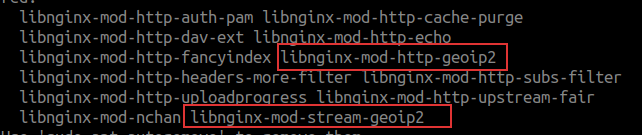
GeoIP Udah Masuk di nginx-extras
Akun Maxmind . Karena data GeoIP bawaan
nginx-extrasga update.Geoipupdate , untuk update otomatis data GeoLite2 (versi free GeoIP) di server
Only Allow Connection From Indonesia & Singapore using Nginx
Pake Cloudflare
Untuk yang pake Cloudflare proxy, setup ini cukup gampang
Masuk ke menu Security -> WAF (Web Application Firewall)
Buat 1 rule baru
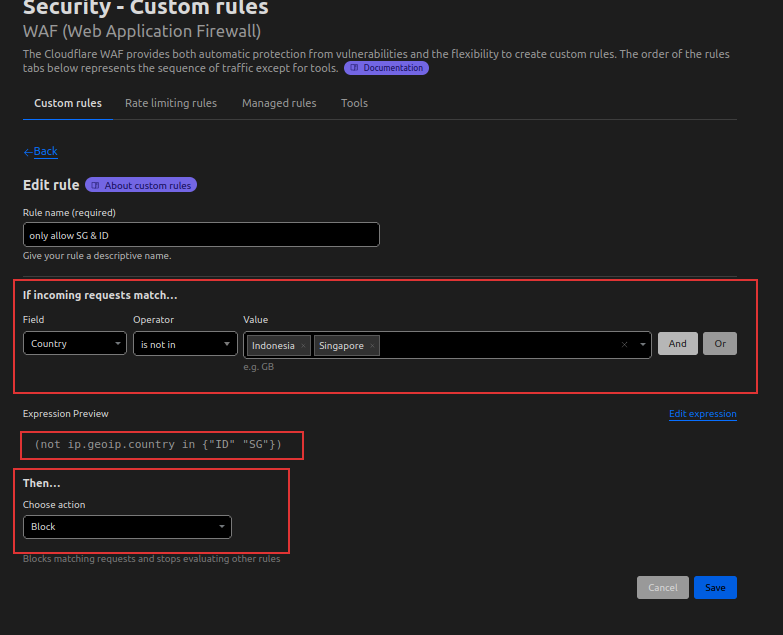
Only Allow ID & SG
- Coba konek pake VPN dari negara lain selain Indonesia & Singapura (Saya pake ProtonVPN )
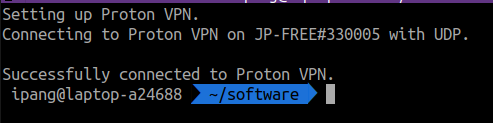
Pake VPN Jepang ProtonVPN
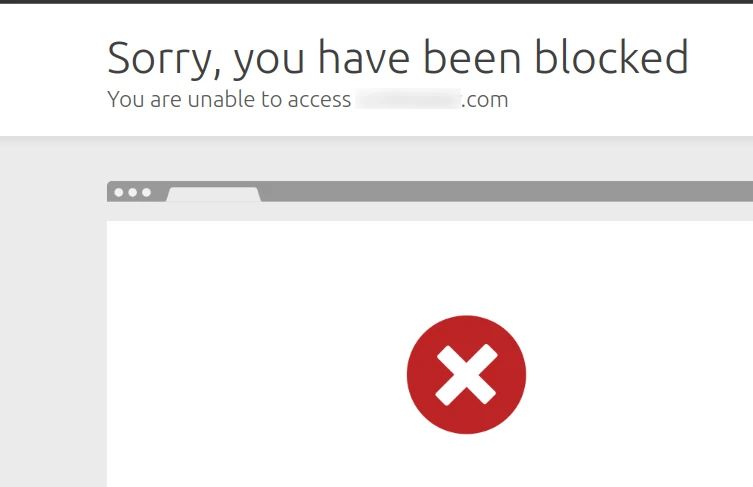
Block Berhasil
Catatan:
Ini hanya bisa digunakan kalau kamu pake DNS Cloudflare
Ini hanya bisa digunakan kalau proxy domain di Cloudflare di enable
Ga perlu ada yang di rubah/update di config nginx.
Pake Nginx + GeoIP2
Update akun maxmind GeoIP di server, buka file /etc/GeoIP.conf
# GeoIP.conf file for `geoipupdate` program, for versions >= 3.1.1.
# Used to update GeoIP databases from https://www.maxmind.com.
# For more information about this config file, visit the docs at
# https://dev.maxmind.com/geoip/updating-databases?lang=en.

# `AccountID` is from your MaxMind account.
AccountID 12345

# `LicenseKey` is from your MaxMind account
LicenseKey PuasaDongHariIni

# `EditionIDs` is from your MaxMind account.
EditionIDs GeoLite2-ASN GeoLite2-City GeoLite2-Country
Tambahkan cron untuk update data GeoLite
#disable send mail
MAILTO=""

#use "which geoipupdate" to search geoipupdate location
53 4 * * 1,3 53 4 * * 1,3 /usr/bin/geoipupdate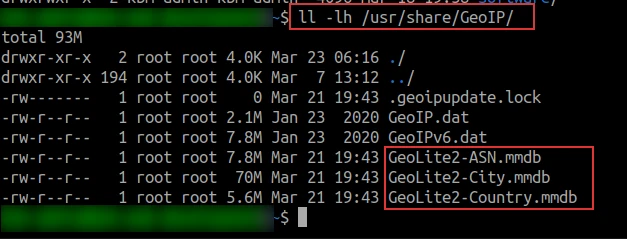
Block Berhasil
Update config virtual block di nginx (kamu bisa config di nginx.conf atau di virtual block di directory
sites-availabled)geoip2 /usr/share/GeoIP/GeoLite2-Country.mmdb { $geoip2_data_country_iso_code country iso_code; } map $geoip2_data_country_iso_code $allowed_country { default no; ID yes; SG yes; } server { . . . server_name test.domainkamu.com; server_tokens off; . . . index index.php; location / { # Block forbidden country if ($allowed_country = no) { return 404; } } . . .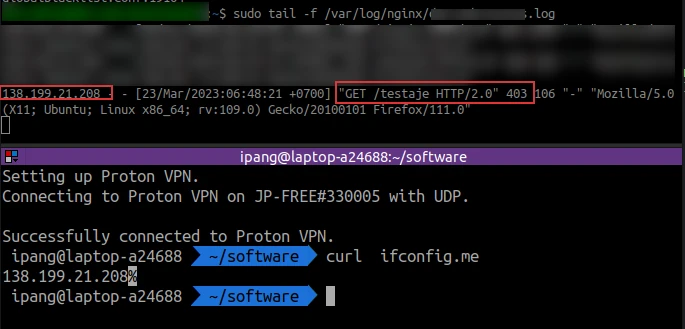
Block Berhasil
Kesimpulan
Gampang kok setup GeoIP dan ini beneran work, bisa block akses dari negara lain. Tapi ada beberapa kendala yang saya alami setelah setup GeoIP
Kendala dan Error
Nginx beberapa kali mati, ini ga tahu kenapa. Tapi error
cannot find PIDmuncul setelah setup ini, benerinnya cukupsudo service nginx restartService tambahan di aplikasi seperti payment gateway (X*ndit) ini ga bakal jalan. Kenapa? Awalnya mikir X*ndit ini servernya paling jauh di SG, ternyata eh ternyata di Amerika. Jadi lah kudu nambahin akses dari Amerika ke server.
Referensi: